Final Standings Sheets allow you to lock in an official snapshot of your league or tournament results at the conclusion of play. This is especially useful for record-keeping, payouts, and sharing finalized results.
✅ When to Use Final Standings Sheets
Final standings sheets can only be created in the final week or round of an event
Once created, they act as a locked snapshot of standings at that moment in time
How to Store a Final Standings Sheet
Navigate to the Standings page of your league or tournament
In the top right, click the ⚙️ Gear Icon (instead of Edit)
Select Create Final Standings Sheet
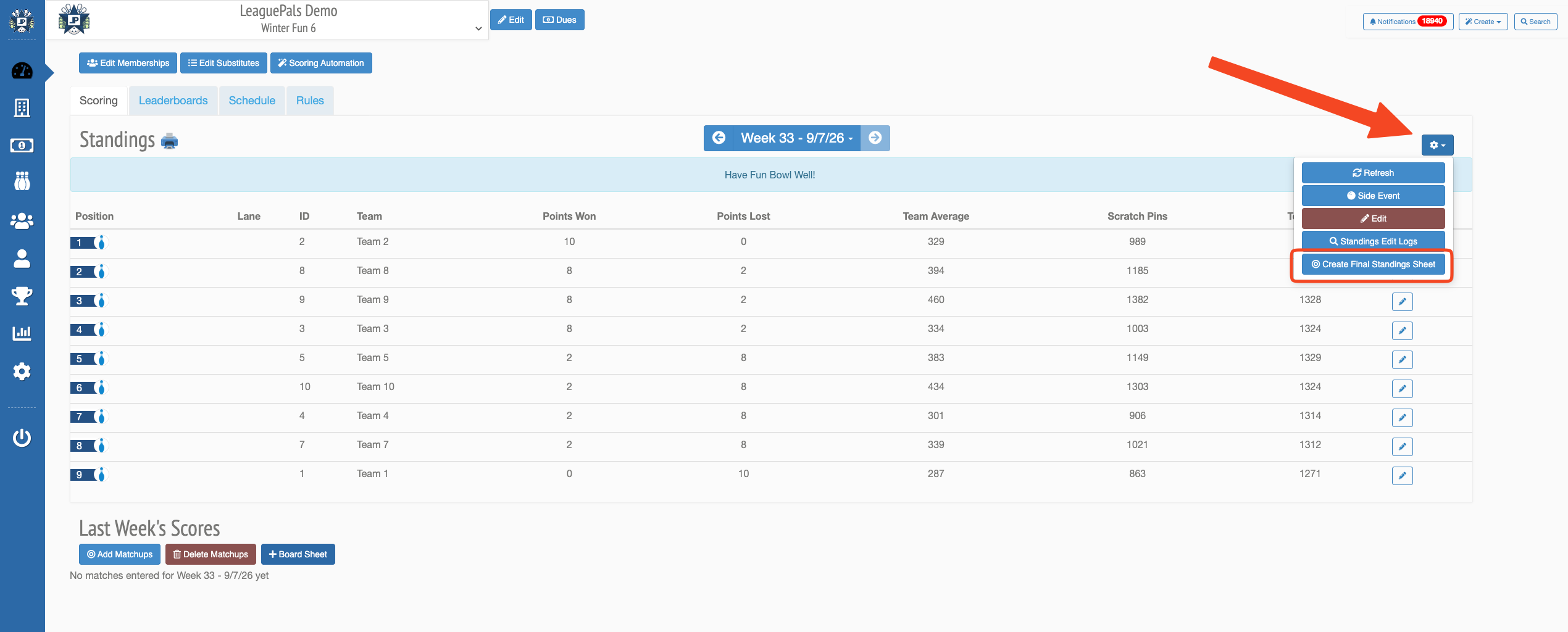
Once created:
Your standings view will switch to Final Standings
These standings are now stored and locked
Rebuilding a Final Standings Sheet
If changes are made after storing final standings (such as score edits or corrections), your stored standings will not automatically update.
To refresh them:
Go to the Standings page
Click the ⚙️ Gear Icon in the top right
Select Rebuild Final Standings Sheet
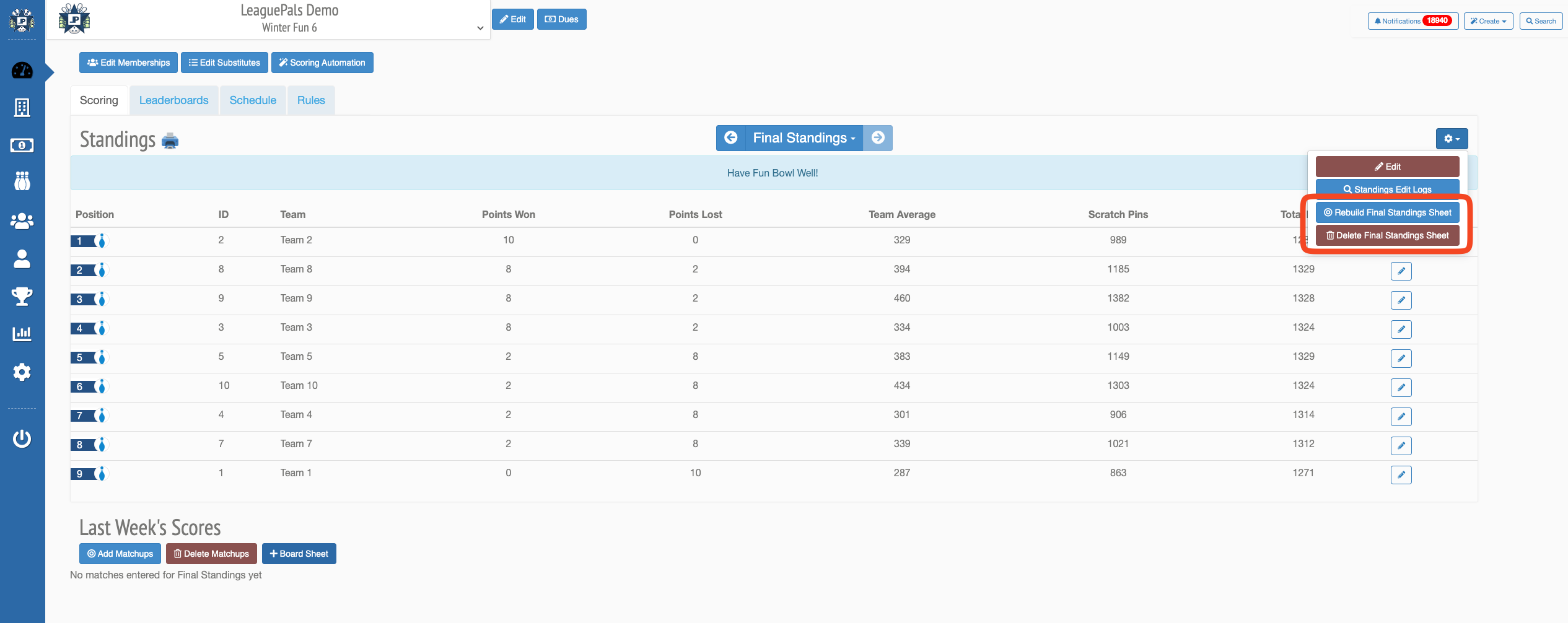
This will regenerate the final standings using the latest event data.
Deleting a Final Standings Sheet
If you need to completely remove the stored standings:
Go to the Standings page
Click the ⚙️ Gear Icon in the top right
Select Delete Final Standings Sheet
Once deleted:
The system will revert back to your live standings view
You can create a new final standings sheet at any time (as long as you’re in the final week/round)
⚠️ Important Notes
Final standings are static once created and do not update automatically
If any edits are made after storing:
You must Rebuild to update them
Or Delete and recreate the sheet
This ensures your final standings remain consistent and intentional for reporting and payouts
Was this article helpful?
That’s Great!
Thank you for your feedback
Sorry! We couldn't be helpful
Thank you for your feedback
Feedback sent
We appreciate your effort and will try to fix the article