Pacers are bowlers who participate in league nights but do not count toward team standings or points. LeaguePals now provides a flexible, streamlined way to handle pacer scores so you can focus on running a smooth league.
How to enable pacers in your league:
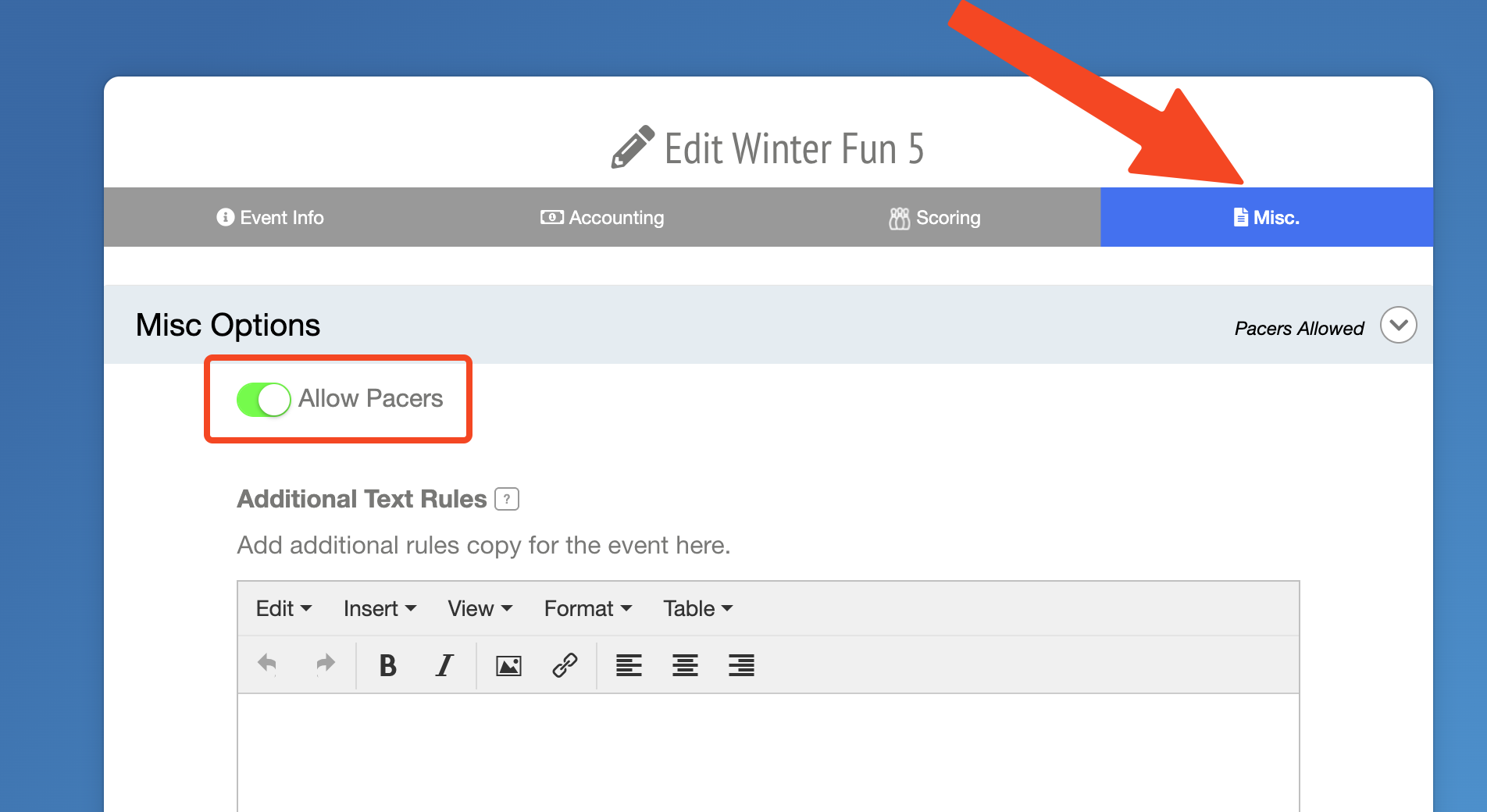
1. Go to your League Settings and click on the Misc. tab at the top right.
2. Find the Allow Pacers option under Misc.
3. Toggle Allow Pacers to ON (green).
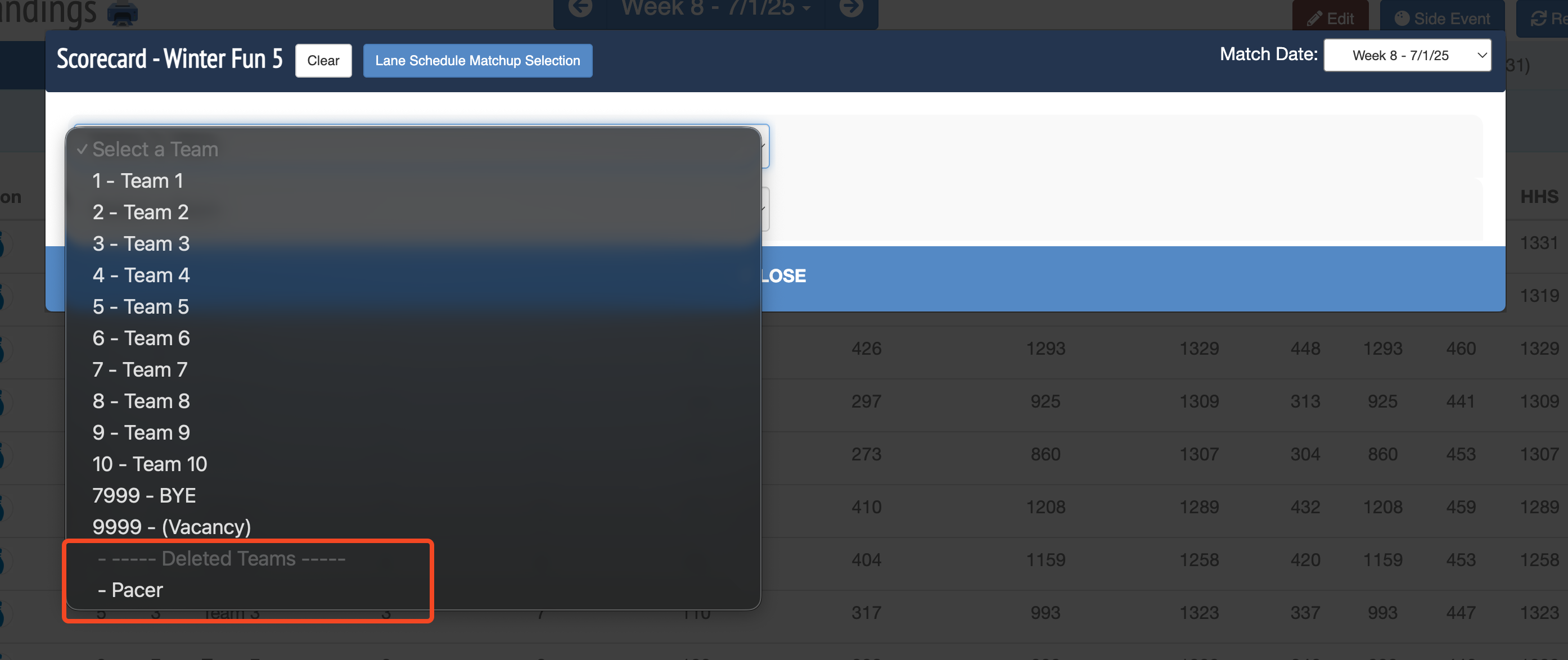
Once enabled, a hidden Pacers team is created. You won’t see this team in your normal team lists, but it’s available when adding scores manually or processing substitutes.
 Note for Manual Scoring:
- You will see the Pacers team as an option when selecting a team.
- Any bowler added to this team is always marked as a substitute and cannot be changed.
- These pacer scores are not included in team totals or matchups.
Note for Automatic Scoring:
- The pacer score is automatically excluded from the team’s total score.
- LeaguePals will replace it with that bowler’s blind score. If no blind score is set, a vacancy score is used.
- Pacers’ individual scores are still saved and visible but do not affect standings.
General Notes:
- Pacers who show up unexpectedly (like extra bowlers on a doubles team) are identified and excluded automatically.
- If your center’s scoring system doesn’t flag pacers, you can manually mark them in LeaguePals during the substitute review process.
- When files from your scoring system include pacer designations, LeaguePals will respect those automatically.
Was this article helpful?
That’s Great!
Thank you for your feedback
Sorry! We couldn't be helpful
Thank you for your feedback
Feedback sent
We appreciate your effort and will try to fix the article